Comments
19 comments
-
 Official comment
Hi Jonathan
Please can you uninstall SQL Prompt then perform a fresh install:
https://download.red-gate.com/checkforupdates/SQLPrompt/SQLPrompt_11.2.0.19838.exe
-

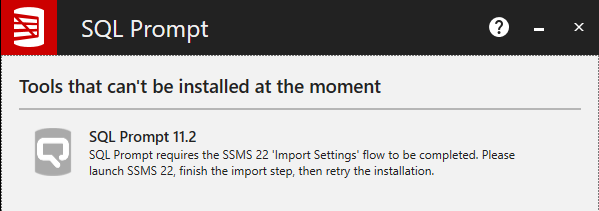
I am getting this error in SSMS 22. I have been through the Import Settings flow and all other redgate tools are installed and showing up correctly in the app
-

Vic, I uninstalled & re-installed, after downloading from the link. The SQL Prompt menu is still missing.


-

That doesn't work for me either. I still have SSMS 20 installed and that still works.
-

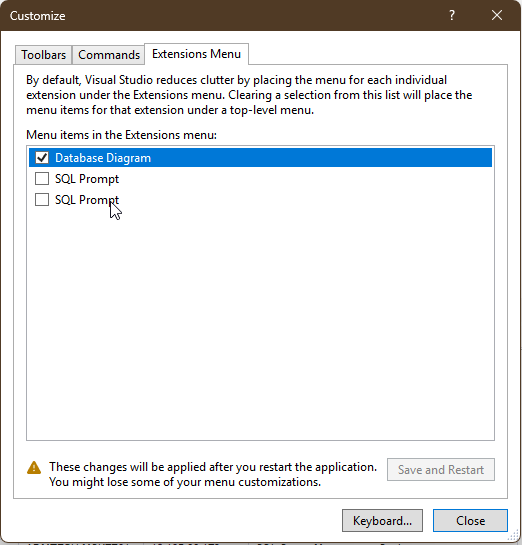
Same as with previous version: Right-click on the menu bar, choose “Customize”, switch to tab “Extensions Menu” and disable(!) both SQL Prompt entries there:
-

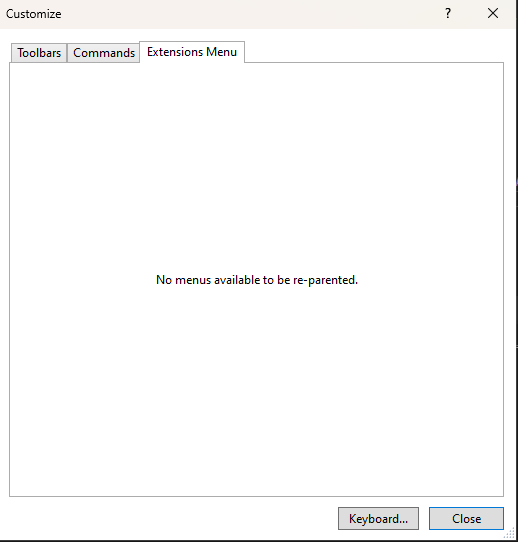
Yeah, except this is what my Extensions Menu looks like right now in SSMS 22. And the SQL Prompt menu is definitely NOT showing:
-
Hi Alex
Please can you follow the steps in this article:
SQL Prompt requires the SSMS 22 'Import Settings' flow to be completed
-

Has anyone gotten Prompt to work in SSMS 22 GA yet?
-
Klaus, disabling the extensions worked for me. The SQLPrompt menu now shows up. Thanks!
-

Klaus, disabling the extensions worked for me. The SQLPrompt menu now shows up. Thanks!
Not sure why this menu has SQL Promt twice -

-

I am having the same issue as Matt Falk . My extensions menu is blank. I have sql history and search buttons showing but I can't get the menu button to show at all.
-
mattz - updating to the latest version fixed the issue for me. After that update, I saw the two options in the Extensions Menu and when I unchecked them, the menu was there.
-
Thanks for the info fellow Matt, Unfortunately I am on the latest version of SSMS and Redgate. I don't have anything at all in the extensions menu.
-
Update - Once I uninstalled both SSMS 22 and Redgate 11.2 and reinstalled both, then I got the options to uncheck the 2 items in the extensions menu.
-

Make sure SQL Prompt is actually installed and compatible with SSMS 22 try reinstalling it directly from Red-Gate’s installer: Download SQL Prompt 11.2.
-

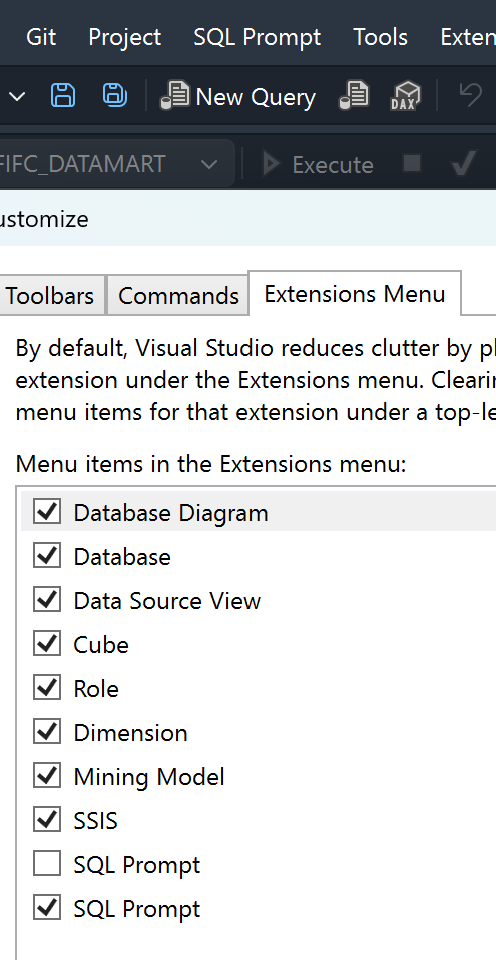
The only thing that worked for me was disabling just the top one of the 2 extensions.
-

Thank you, Alex. This fixed it for me as well.
No idea why there are two items there, but disabling the first one did the trick.
-

Glad I found this quickly, disabling both solved it for me.
Add comment
Please sign in to leave a comment.
After installing SSMS 22, un-installing SSMS 21, and installing SQL Toolbelt Essentials (which includes SQL Prompt 11.2), the SQL Prompt Menu does not appear.
I re-attempted the above, running as Administrator, with the same result.