While importing settings from SSMS 21 (or older versions) into SSMS 22, SSMS freezes on the import screen and does not proceed if SQL Prompt is present on the machine.
This import issue occurs only when:
- SSMS 22 is installed on a machine, but the user has not completed the
Import User Settingaction. -
ANDSQL Prompt is already installed on the machine.
If the user then tries to initiate SSMS 22 and proceeds with Import User Setting, SSMS 22 will freeze.
Resolution
- Uninstall SQL Prompt from your system.
- Launch SSMS 22 and finish the
Import User Setting. - Close SSMS 22.
- Reinstall SQL Prompt.
This issue is also handled in the SQL Prompt installation process:
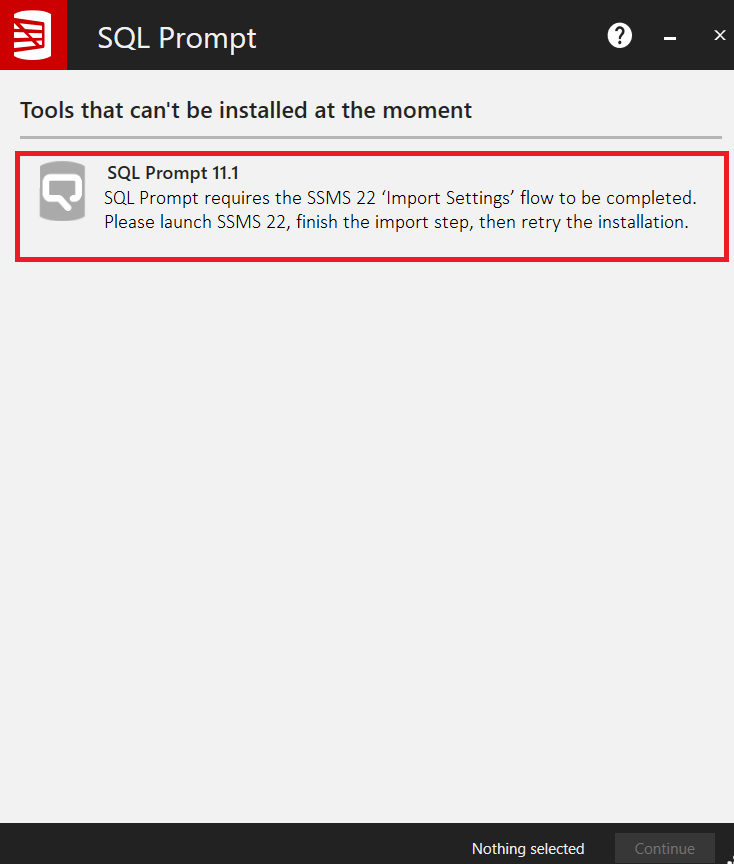
During installation, if SSMS 22 is detected on the machine and the Import User Setting step is not executed, then the installer interrupts the process and displays the below warning. This gives the user an option to complete the Import User Setting step before installing SQL Prompt.
3
-1
Was this article helpful?
1 out of 3 found this helpful
Articles in this section
- Entra ID MFA Authentication
- SSMS 22 freezes while importing SQL Prompt settings for the first time
- Prompt AI failed to log in
- SQL History is blank
- Unable to access SQL Prompt AI features
- SQL History is greyed out
- SQL Prompt missing from toolbar after installation
- Add SQL History to a shared folder
- Error: Something went wrong while signing in. Authentication failed.
- Installing and running SQL Prompt
Add comment
Please sign in to leave a comment.