Comments
3 comments
-
 Official comment
Hi David,
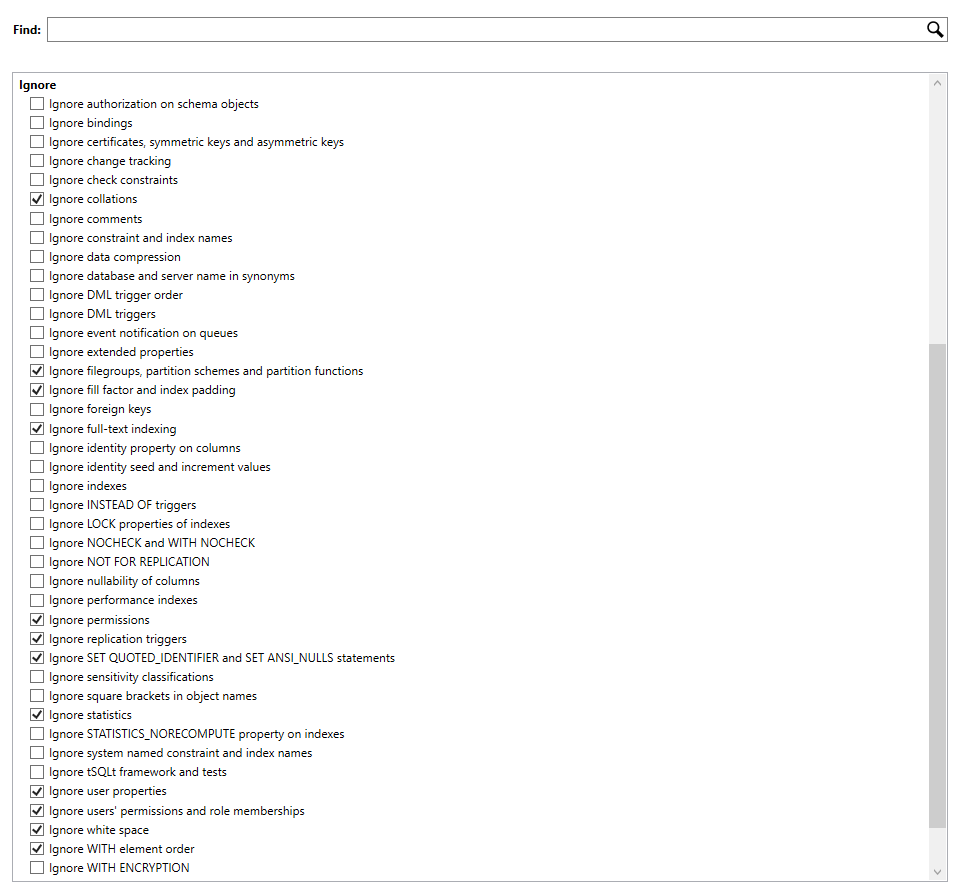
Thanks for reaching out to Redgate Support regarding your issue with SQL Compare. I know you already mentioned not having any ‘ignore’ option set for constraints, but I do believe this exact scenario of the name being the only difference in the constraints is why the IgnoreConstraintAndIndexNames option is provided. You can find details on this option on this page: https://documentation.red-gate.com/sc/setting-up-the-comparison/setting-project-options#Settingprojectoptions-Ignoreconstraintandindexnames
Here is a snippet of the definition
“Ignores the names of indexes, foreign keys, primary keys, and default, unique, and check constraints when comparing views, tables and table-valued types. If an index or constraint differs in ways other than its name then its name won't be ignored when it is deployed.”
Can you try the above project option and let me know if it fixes the reported behavior?
-

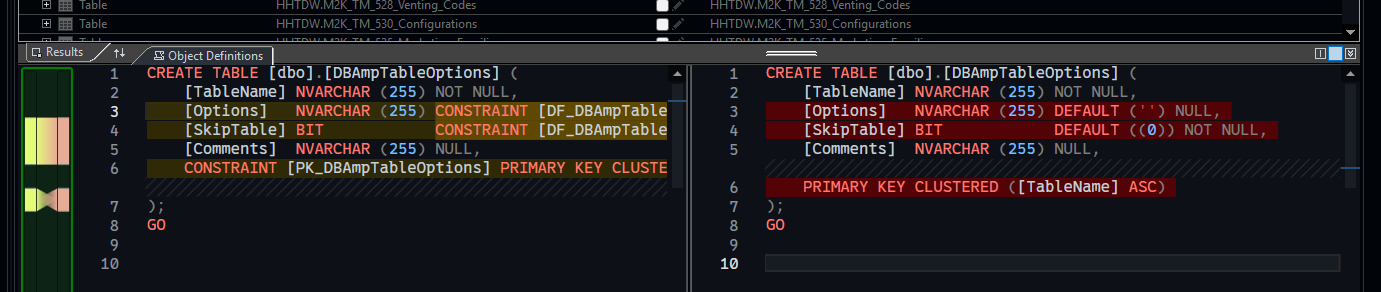
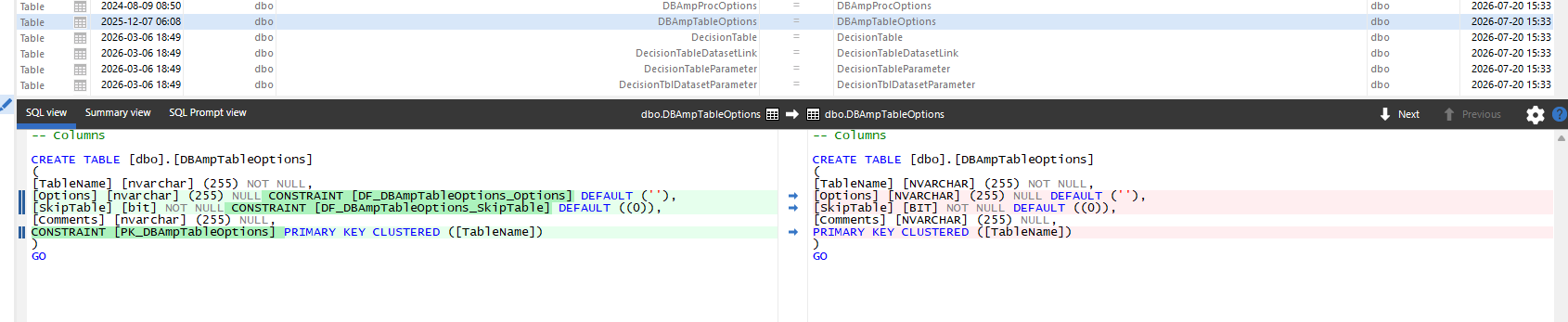
This continues to be a problem. I have provided screenshots of the compare utility in Visual Studio, my project options in SQL Compare, and the table (among many) that has changed but shows up in the ‘identical’ section of SQL Compare.
-

Hi David,
Thank you for your update. Just to confirm, based on your screenshot. The left-hand data source is taht includes the DF_DBAmpTableOptions_Options and the DF_DBAmpTableOptions_SkipTable default constraints are from your your live SQL Server? And the right-hand source with just the DEFAULT keyword is a scripts folder of your Visual Studio project?
What version of SQL Compare are you using?
The live SQL Server database, what version of SQL Server is it hosted upon?
Add comment
Please sign in to leave a comment.
I am comparing a SQL Server database to a Visual Studio database project (non-SDK). SQL Compare indicates a table is ‘indentical’ but when I click on the table, it shows a difference in a DEFAULT constraint. The CONSTRAINT in the database is explicitly named, but in the SQL script, it is not. This difference is displayed correctly in the diff window, but the table is marked as identical. I have no ‘ignore’ options set for constraints. I need to generate updates, but I cannot because of this.