Comments
4 comments
-
 Can you share a screenshot of the screen you were prompted in SQL Source Control?
 -
I got the same issue with the same experience. I just have the Red Gate SqlToolBelt installed, launch SSMS, clicked on a database, then linked with a git repository, which has less than 5 Meg worth of RedGate files, then I tried to "Link or Unlink static data", then the process hangs forever.
I have the latest source control of 7.0.44, upgraded from the initial SqlToolBelt install, and git 2.24.0.windows.2.
See the attached screen shot for mmsm version.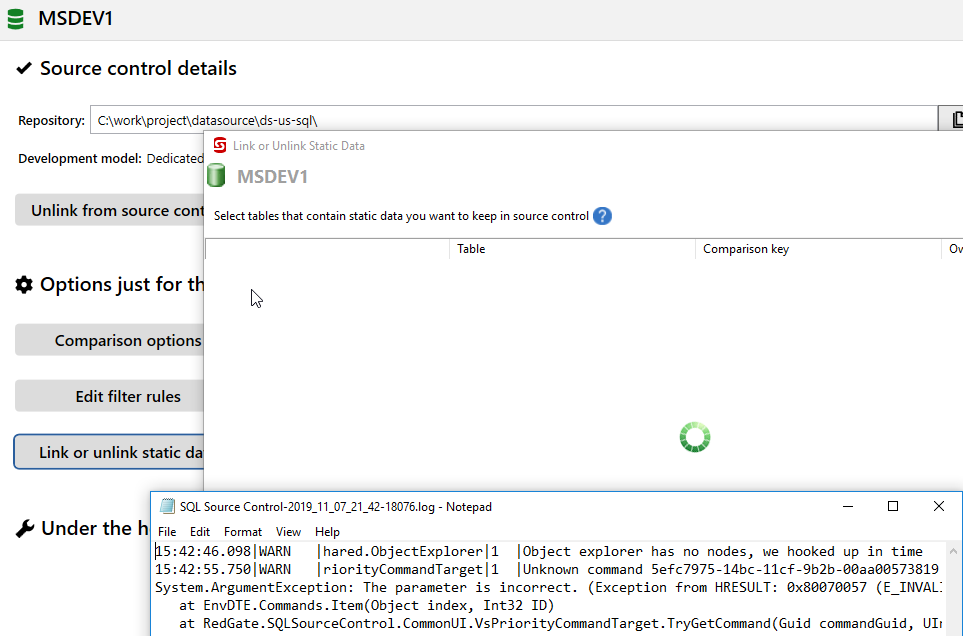

-
Can someone look at the issue?
I am a paid customer and has been fighting with it for two weeks. -
I solved my issue, by uninstalling all redgate packages and restarting my pc and then installed them again. It seems that restarting the PC did the trick because at first i did not consider that action.
Add comment
Please sign in to leave a comment.
I have tried to activate my SQL source control license and use it.
This seems more difficult than i would have believed.
After installing the latest SQL Source Control 7 i open SQL Management Studio 18.2 and the first page shown is the Redgate Source Control page. I only have the option to click Log in, so this is what i do. An empty window opens op and hangs. The only thing i can do now is to click the x in the top right corner. Doing this crashes the Management Studio.
I have now also tried with SQL Management Studio 17.9.1 with the same result. I am using Windows 10 version 1809.
I have a college that uses the same SQL Management Studio and the same version of Source Control
I found the following in the log file:
Can anybody help me with this?