Comments
2 comments
-
 Official comment
Hi Craig,
Thanks for reaching out to Redgate Support, sorry to hear you are still having some trouble with the high DPI scaling behavior you reported, I wanted to see if we could try manually setting your dimension windows in case that could function as a workaround for you.
Could you go to your %LOCALAPPDATA%\Red Gate\SQL Prompt 11\RedGate_SQLPrompt_CommonUI_Options_UIOptions.xml file and open it in a text editor for me? You are going to be looking for the values
<SchemaPanelWidth>1600</SchemaPanelWidth>
<SchemaPanelHeight>1000</SchemaPanelHeight>
And you will want to either edit the Width of the dialog window is too big horizontally or the Height if the edge of the window is going beyond the bottom of your screen. You will also find some other values like candidate width and height and these options let you change the default size of the popups from SQL Prompt.
Give the above a shot and let me know if this helps get you a better viewing experience.
-

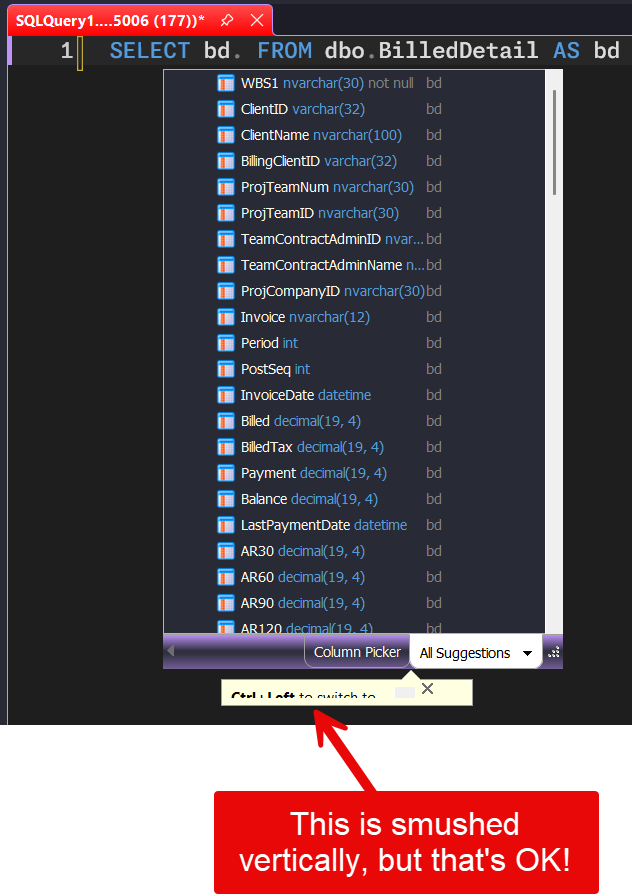
THAT WORKED!!!!!
Here were my initial values:
<SchemaPanelWidth>564</SchemaPanelWidth>
<SchemaPanelHeight>414</SchemaPanelHeight> <SchemaPanelShowTable>true</SchemaPanelShowTable><CandidateListWidth>3862</CandidateListWidth>
<CandidateListHeight>4342</CandidateListHeight
<CandidateListColumnDivider>0.5</CandidateListColumnDivider><CandidateListSaveSizeBetweenSessions>true</CandidateListSaveSizeBetweenSessions>I've changed them to:
<SchemaPanelWidth>564</SchemaPanelWidth>
<SchemaPanelHeight>414</SchemaPanelHeight> <SchemaPanelShowTable>true</SchemaPanelShowTable><CandidateListWidth>400</CandidateListWidth>
<CandidateListHeight>600</CandidateListHeight
<CandidateListColumnDivider>0.5</CandidateListColumnDivider><CandidateListSaveSizeBetweenSessions>true</CandidateListSaveSizeBetweenSessions>Thank you so much!
Add comment
Please sign in to leave a comment.
I posted a ticket to support for this (#346654) back in December of 2025.
SQL Prompt's suggestions dialog (pops up to suggest tables/columns while you are typing up SQL) takes up the whole screen from cursor horizontally, and goes past the bottom edge of the screen vertically, so you can't even see the column-selector and the other tab (I forgot what it is because I haven't seen them in 8-months).
After a few back & forths with support trying out different dpi scaling, their final answer was:
“Given that, I'd like to close this ticket for now to avoid leaving it open indefinitely without progress. This isn't a reflection of the issue being dismissed. It's a known limitation we hope to address in a future release.”
I can't be the only person with 4K monitors and seeing this, am I? Has anyone solved this? Can RedGate maybe buy some 4K monitors for a couple of Devs and QA folks, and maybe the product owner?