Comments
18 comments
-
 Official comment
Why this has been happening
Due to some architectural changes to SSMS that were introduced from the v21 release onwards, we've seen a significantly higher volume of dependency changes than ever before. Because our tools run as plugins inside SSMS rather than as separate processes, every dependency update means we need to make sure our products still support it. That's made keeping pace with SSMS releases considerably more challenging than it used to be.
What we've already changed, and what's next
We want to be transparent that we've been actively working on this, and a number of improvements are already in place:
- We've changed the default upgrade mechanism so SQL Prompt now updates the whole of SQL Toolbelt Essentials rather than individual products. A lot of the crashes were caused by one TBE product being updated while others weren't, leaving users on a mixed and unsupported set of versions, which matches what some of you found above with old or unused Redgate tools (like SQL Dependency Tracker) causing the crash. This change has meaningfully reduced the frequency of issues.
- We now get early access to SSMS release candidates ahead of the monthly public release, which lets us test and get fixes out before it lands for everyone. This has proven largely reliable, though it doesn't fully eliminate risk since last minute changes can still happen. We'll keep investing in this regression testing.
- We believe the last few SSMS releases haven't required any hotfixes on our side. If your team has kept seeing problems on the latest versions of both SSMS and SQL Toolbelt Essentials, we'd like to know, since it may point to something specific to your environment that we're not aware of.
- We do acknowledge the SSMS 22.6 release caught a library issue in our licensing code, which we're sorry for. That one got through our testing process.
- We're also looking at how to communicate compatibility better ahead of releases, including showing verified compatible SSMS minor versions on our docs site. Not in place yet, but it's something we're committed to.
-

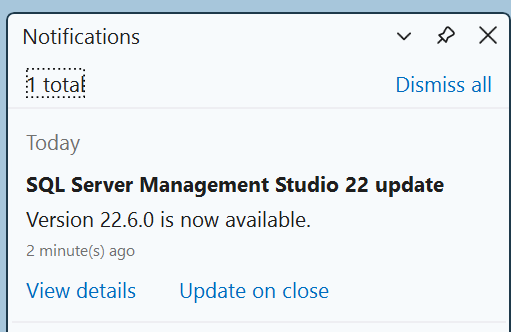
Has anyone dared to install it yet?
-

After upgrading to 22.6 I get the following error when trying to open SQL History:
The semaphore timeout period has expired. -

And when I upgraded, I cant use SQLprompt. Getting error
Initialization of 'RedGate.SqlPrompt.Wpf.SqlEditor.SqlTextEditor' threw an exception.
Had to rollback to old version -
Uninstalling SQL Prompt, rebooting and then reinstalling SQL Prompt fixed my issue.
-

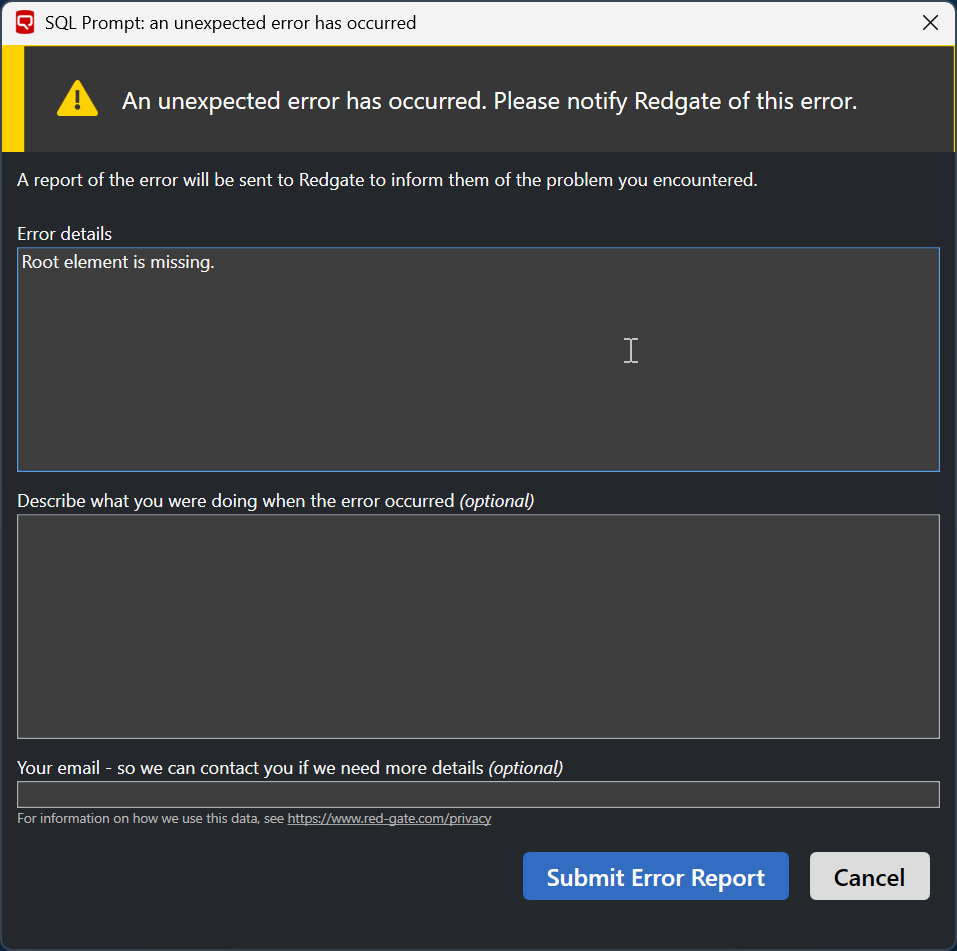
I get a “Root element is missing” error every time I open SSMS or whenever I try to use SQL prompt. SSMS is on 22.6.0 and SQL Prompt is updated to latest. Uninstalling SQL prompt and rebooting then reinstalling did not fix this issue at all, even after rebooting again. Still haven't heard a word from Redgate about this issue and all the problems people are having.
-

I am having a similar issue. My SQL prompt shows this error each time I try to use it and it does not start up at all when starting SSMS. It also seems that SQL History is not working as well. I have uninstalled and reinstalled multiple times nothing is working.
-

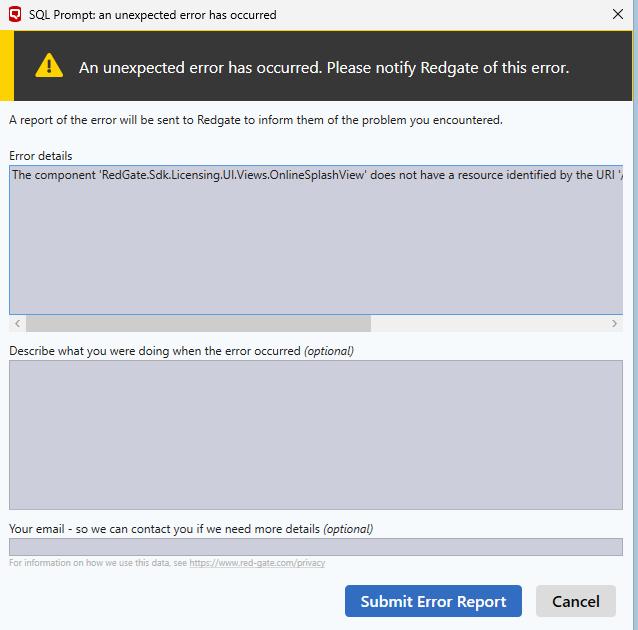
I'm getting the same error above on Win11 laptop running SSMS 22.6.
The component 'RedGate.Sdk.Licensing.UI.Views.OnlineSplashView' does not have a resource identified by the URI '/RedGate.Sdk.Licensing.UI;V2.4.1.705;component/views/onlinesplashview.xaml'. -

I’m trying to get ahead of this before upgrading.
Can anyone from RedGate confirm whether SSMS 22.6.0 is safe to install without breaking the main add-ins again, especially SQL Prompt, SQL Search, and SQL Source Control?
I deal with a lot of compatibility notes in other software areas too, even while writing about things like best PS2 emulator for PC, and one thing that always helps is knowing which versions are confirmed stable before users upgrade.
Would be great to know if RedGate has already tested these add-ins with SSMS 22.6.0.
-

I don't see any answer - did we ever get one on a different thread? I also have SSMS 22.6 and the SQL Prompt menu is not available. There are other tools available from toolbelt, but no SQL Prompt. When this happened with previous versions of SSMS it was a compatibility issue.
-

Try the following:
- Visual Studio : Extensions : Customize Menu…
- Uncheck both “SQL Prompt” items
- Click “Save and Restart”
This fixed this same issue for me.
-
Thank you - this worked for me as well.
-
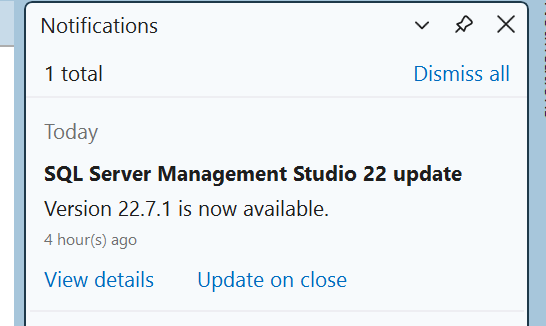
And there is another one out…
-

I was waiting for 22.6 to stabilize with sql prompt before I updated, and now 22.7.1 is out instead.
I've been burned too many times with the updates recently so I might be waiting around for awhile at this rate with compatibility.
-

It would be very, very helpful if RedGate just started putting “compatible with” after each release update on all their SSMS integrated products, so we know when we can move to a new SSMS.
-

I’m trying to get ahead of this before upgrading.
Can anyone from RedGate confirm whether SSMS 22.6.0 is safe to install without breaking the main add-ins again, especially SQL Prompt, SQL Search, and SQL Source Control?
I deal with a lot of compatibility notes in other software areas too, even while writing about things like best robox executor for Android, and one thing that always helps is knowing which versions are confirmed stable before users upgrade.
Would be great to know if RedGate has already tested these add-ins with SSMS 22.6.0.
-

Has there been any update on support for SSMS 22.6.0?
I got SQL Prompt (11.4.1.25856) after getting SSMS 22.6.0 and I've been noticing some odd behavior while coding away. SQL Prompt seems to be making some random code changes while I'm working.
Far as I can tell, it's always below where I'm currently working but as I move down my code, I see that sometimes I run into things like beginEGIN, elseELSE, beginEGIN, throwHROW, or within a comment section things like OnlybeginEGIN when the only real word in that comment should have been Only.
Sometimes I can go back via SQL History and see about when the change occurred, just no explanation as to why it happened.
I know I'm not making any global search and replace terms like that.
-

Thanks for sharing this update regarding SSMS 20.x compatibility with Redgate tools! It's super helpful to keep track of these version updates here in the Redgate Community, especially how they apply to Basket Random for users.
Add comment
Please sign in to leave a comment.
I'm trying to get ahead of the game.
Can anyone from RedGate confirm that we're OK to upgrade to SSMS 22.6.0 without breaking every add-in again?
SQL Prompt
SQL Search
SQL Source Control