Comments
10 comments
-
 Official comment
Hi Tobias,
Thanks for reaching out to Redgate Support and for reporting this behavior, I can confirm we are aware of Tab Coloring not working in either SSMS 21 or SSMS 22.(SSMS 21 has a workaround if you use the classic UI control style)
Apologies on the delay as Views were redesigned in SSMS 21 and as a result the Developers have had to come up with a totally new implementation moving forward.
The Developers are actively working on this, once I hear more on next steps for a proposed patch release or fix I can circle back here and update further. Zmillers workaround for the time being seems like valid contender.
-

I get the same problem too
-

Same issue. Saving on the options produces an error.
-

Additionally, the tab color option is no longer available at server group level. Previously, we used to be able to access through the context menu when right clicking on server group within registered servers. Can this be fixed as well?
-

Same issue here.
-

Have the same issue.
-

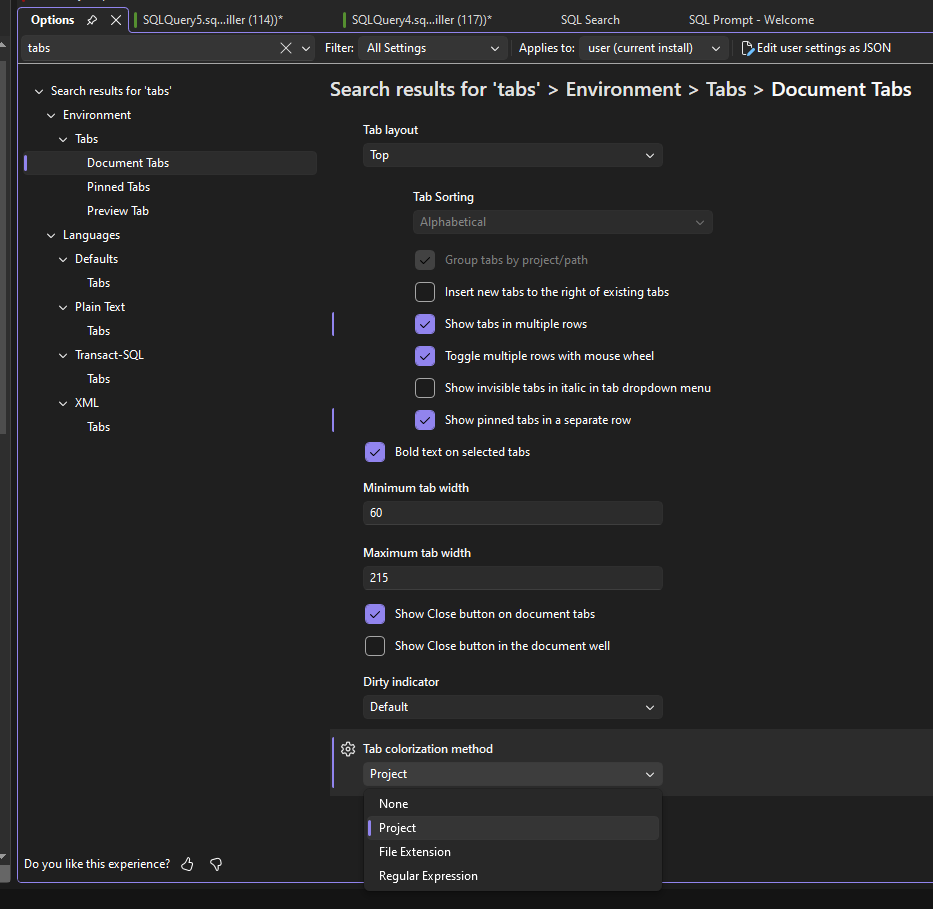
I found a fix for it by changing the “Tab colorization method” , Project and File Extension both fix my issue. The whole tab does not change color like before, but it's better than nothing.
-

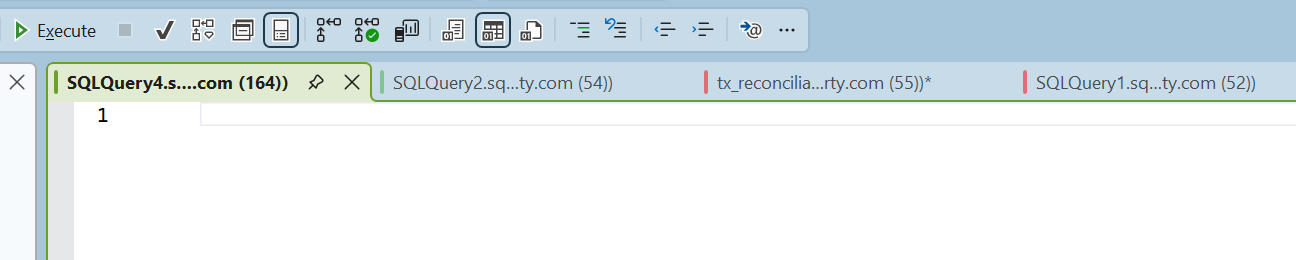
Thanks zmiller, that worked great!
-
Hi Tobias,
I'm pleased to inform you that the latest SQL Prompt release resolves the Tab Color issue in SSMS 22:
https://download.red-gate.com/checkforupdates/SQLPrompt/SQLPrompt_11.2.1.20094.exe
11.2.1.20094 - Released on 08 December 2025
Features
-
Added support for Visual Studio 2026.
Fixes
- Fixed issue that could trigger an "Unexpected error occurred while checking access to SQL Prompt AI" error dialog that would prevent usage of Prompt AI.
- Fixed issue SQL Prompt Bulk Formatter would not retain the UTF-8 with BOM encoding.
- Fixed an issue where tab colors were not applying correctly to the Visual Studio theme in SSMS 21 and SSMS 22.
Let me know how it works for you. -
-

Tab colors don't work for me, either. I put in environment rules, but it always goes to “default” when I open a new tab. I updated SSMS, SQL prompt, and rebooted, but to no avail.
SQL Prompt version 11.4.1.25856
SSMS version 22.7.2
Add comment
Please sign in to leave a comment.
The tab color feature does not work in SQL Prompt 11.2 when using SSMS 22.
Only the status bar at the bottom changes its color.
In SQL Prompt 11.2 with SSMS 21, the tab color feature works as intended.