Comments
13 comments
-

I have already done a uninstall / reinstall and the license has been allocated although the context menu is missing in ssms had to do it through sql history
-
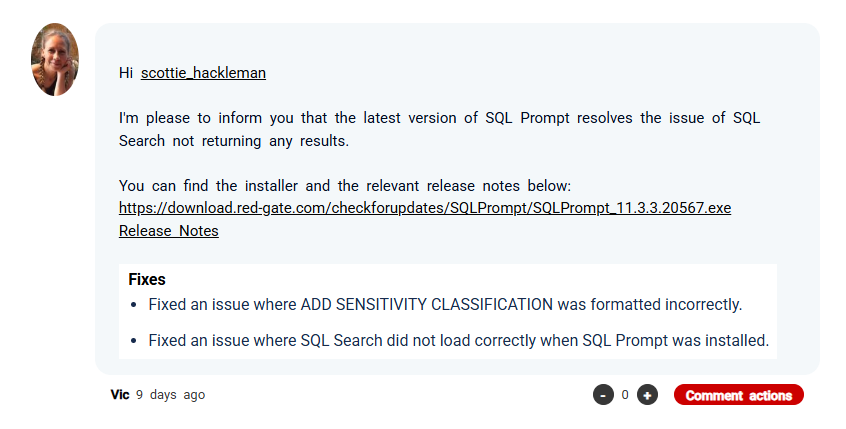
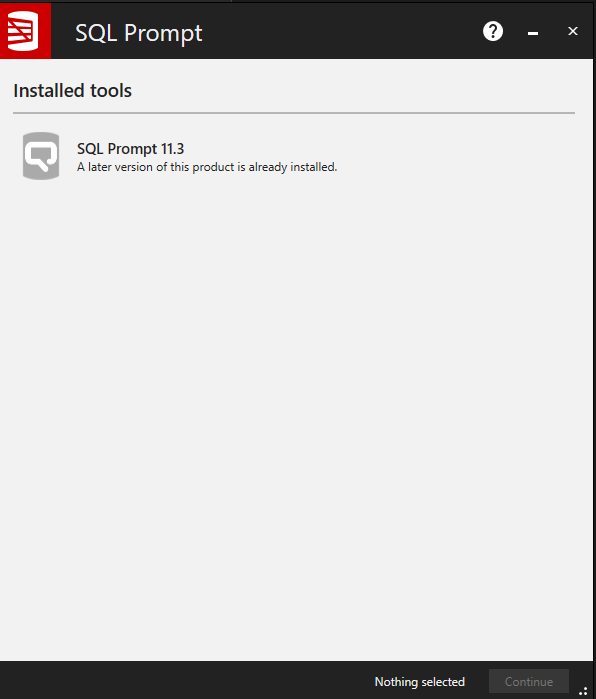
Tried the update in a previous post too:
-

Having the exact same problem.
I am on ssms 22.2.1with sqlprompt 11.3.4.20814
and sqlsearch 3.9.4.6402
Tried several things for fixing, including reseting settings in ssms. none seemed to work.
the only hint i see is in the logs.:
2026-02-04 15:09:11.647 +01:00 [Information] [RedGate.SQLSearch.Addin.ObjectExplorer.SSMS.SsmsObjectExplorer]: Assembly 'SqlPackageBase' 'V22.200.0.0' key='89-84-5D-CD-80-80-CC-91'
2026-02-04 15:09:11.647 +01:00 [Information] [RedGate.SQLSearch.Addin.ObjectExplorer.SSMS.SsmsObjectExplorer]: Assembly 'Microsoft.SqlServer.Management.Controls' 'V22.200.0.0' key='89-84-5D-CD-80-80-CC-91'
2026-02-04 15:09:11.647 +01:00 [Information] [RedGate.SQLSearch.Addin.ObjectExplorer.SSMS.SsmsObjectExplorer]: Assembly 'Microsoft.SqlServer.Management.UserSettings' 'V22.200.0.0' key='89-84-5D-CD-80-80-CC-91'
2026-02-04 15:09:11.647 +01:00 [Information] [RedGate.SQLSearch.Addin.ObjectExplorer.SSMS.SsmsObjectExplorer]: Assembly 'ObjectExplorer' 'V22.200.0.0' key='89-84-5D-CD-80-80-CC-91'
2026-02-04 15:09:11.647 +01:00 [Information] [RedGate.SQLSearch.Addin.ObjectExplorer.SSMS.SsmsObjectExplorer]: Assembly 'Microsoft.SqlServer.Management.SDK.SqlStudio' 'V22.200.0.0' key='89-84-5D-CD-80-80-CC-91'
2026-02-04 15:09:11.647 +01:00 [Information] [RedGate.SQLSearch.Addin.ObjectExplorer.SSMS.SsmsObjectExplorer]: Assembly 'SqlWorkbench.Interfaces' 'V22.200.0.0' key='89-84-5D-CD-80-80-CC-91'
2026-02-04 15:09:13.919 +01:00 [Error] [RedGate.SQSearch.Addin.Utils]: Unhandled exception
System.MissingMethodException: Method not found: 'Void RedGate.Update.Client.WinForms.UpdatesControl.Initialize(System.String, System.Version, RedGate.Update.Client.Interfaces.IUpdateLogger)'.
at RedGate.SQLSearch.Addin.Tab.Controls.SearchTab.<>c__DisplayClass4_0.<.ctor>b__0()
at RedGate.SQLSearch.Addin.Utils.ErrorDialog.DoWithErrorHandling(ILog log, IWin32Window parentWindow, InvokerDelegate`1 toDo, EventArgs args)
2026-02-04 15:09:13.930 +01:00 [Information] [RedGate.SQLSearch.UsageReporting.ApplicationUsageHelper]: The reporting of usage events to the product stream is enabled
2026-02-04 15:09:13.931 +01:00 [Information] [RedGate.SQLSearch.UsageReporting.ApplicationUsageHelper]: The reporting of usage events to the feature stream is enabled
2026-02-04 15:09:17.240 +01:00 [Information] [RedGate.SQLSearch.UsageReporting.ApplicationUsageHelper]: Sending 1 event: -

i have the latest SSMS and latest redgate toolbelt versions installed (as of date 5.2.2026) and still sql search is blank. Same issue occuring for more than 2 months
-

Same here latest SSMS, latest toolbelt (5.2.2006), it happened to me after my last update
-
Tried to do the uninstall\Install like Ian.
My SQL-History tab now opens fine, but SQL-Search caused a error SSMS now and does nothing anymore.
I have no other packages installed except for the default SSMS
Error : The ‘SqlSearchSsmsPackage’ package did not load correctly
error in Activitilog.xml
<entry>
<record>242</record>
<time>2026/02/12 08:25:02.576</time>
<type>Information</type>
<source>VisualStudio</source>
<description>End package load [SQLPromptSsmsPackage22]</description>
<guid>{E33B8A3B-D1CF-4EB0-92AA-0590F0B55B1A}</guid>
</entry>
<entry>
<record>243</record>
<time>2026/02/12 08:25:02.683</time>
<type>Information</type>
<source>VisualStudio</source>
<description>Begin package load [SqlSearchSsmsPackage]</description>
<guid>{26218D92-039D-466C-BF66-EAE1098379BE}</guid>
</entry>
<entry>
<record>244</record>
<time>2026/02/12 08:25:02.788</time>
<type>Error</type>
<source>VisualStudio</source>
<description>SetSite failed for package [SqlSearchSsmsPackage](null)</description>
<guid>{26218D92-039D-466C-BF66-EAE1098379BE}</guid>
<hr>0x80131604</hr>
<errorinfo></errorinfo>
</entry> -

SQL Search broke for me when I upgraded SSMS from 22.2.1 to 22.3.
I get the same error in Activitylog.xml as Gert-Jan Sintnicolaas. -
When SSMS starts an error dialog with the message “The SqlSearchSsmsPackage did not load correctly”.
It also causes SSMS to crash after a few minutes.
-
Tony is correct, SSMS is crashing now for me too after some minutes
-

SQL Search isn't causing the crash alone. I just uninstalled SQL Search 3.9.4, leaving SQL Prompt 11.3.5 installed, but SSMS 22.3 still crashes while connecting to a SQL Server instance.
-
I believe that you are correct Klaus. I have also had a crash with SSMS 22.3 since uninstalling SQL Search.
I used Visual Studio Installer to roll back to the previous version (22.2.1) of SSMS.
I have also reinstalled SQL Search.
So far it has been stable, so I will not upgrade SSMS again until Microsoft and Redgate can sort out their incompatibility problems. -
Redgate have just released an update to SQL Prompt (11.3.6) that is compatible with SSMS 22.3.
Unfortunately SQL Search and some other utilities are still incompatible with SSMS 22.3.
See SQL Prompt compatibility update for SSMS 22.3.
I suggest holding off upgrading to SSMS 22.3 until Redgate release compatibility updates for all of the utilities mentioned in the linked article above. -
anyone from Redgate has any update on above mentioned issues with sql search?
Add comment
Please sign in to leave a comment.
Anyone else getting a blank window pane when opening SQL Search?